

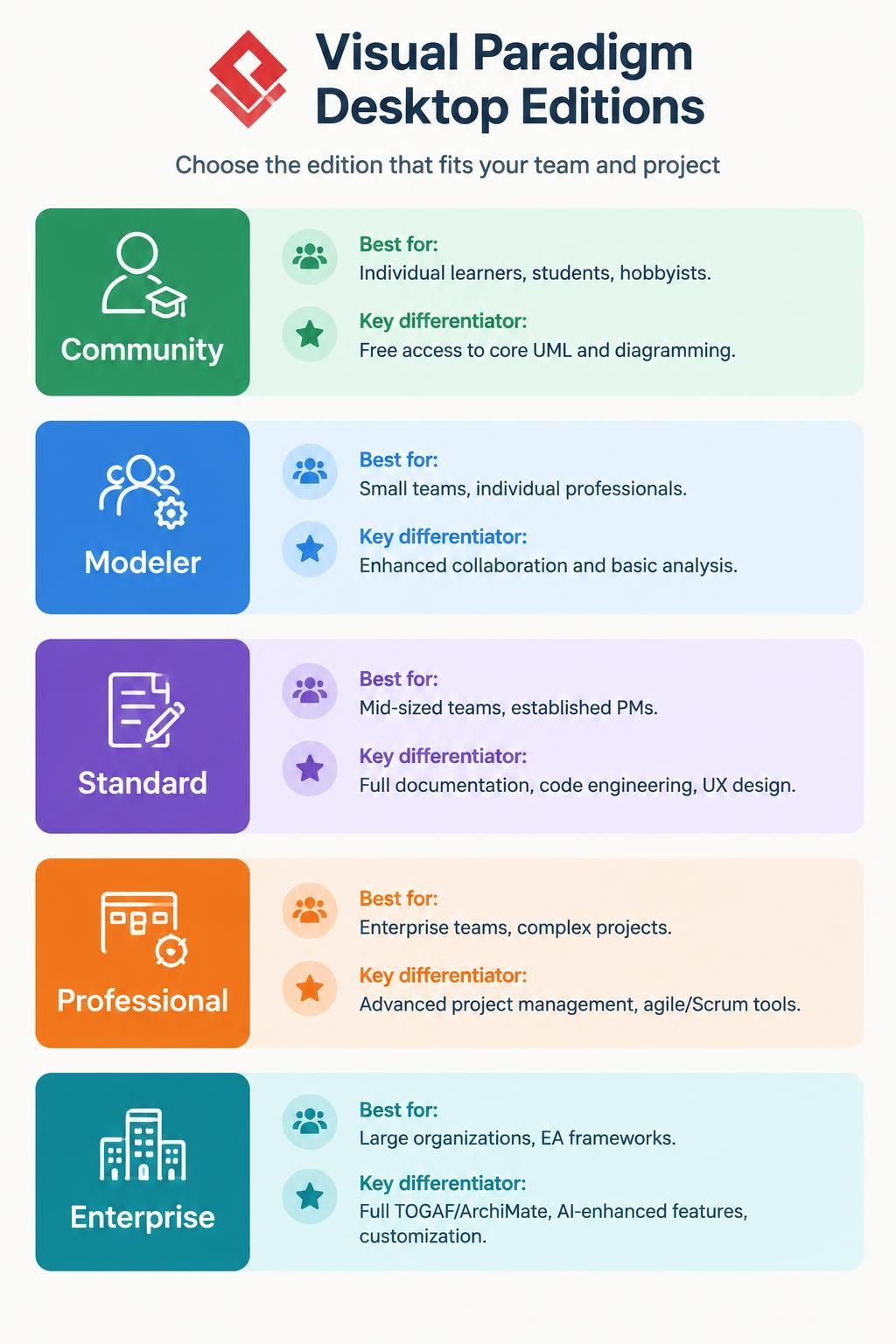
In the landscape of software architecture and business process modeling, the tool you choose is often just as critical as the methodology you employ. Visual Paradigm stands as a robust solution, offering a tiered ecosystem designed to scale from individual hobbyists to complex enterprise-level organizations. This tutorial provides an in-depth look at the system architecture of Visual Paradigm’s desktop editions, guiding you through the distinct capabilities of each version and how they align with specific project lifecycles.
The Community Edition: The Foundation of Modeling
Every journey into system modeling begins with the basics. The Community edition serves as the entry point for individual learners, students, and hobbyists. It is designed to be a powerful yet accessible gateway into the world of Unified Modeling Language (UML) and general diagramming.
Key Capabilities:
- Core UML Support: Access to the fundamental shapes and symbols required for creating Class Diagrams, Use Case Diagrams, and Sequence Diagrams.
- Diagramming Fundamentals: Includes standard tools for flowcharts, mind maps, and basic system architecture sketches.
- Cost Efficiency: As a free version, it removes financial barriers for those validating their skills or managing personal projects.
The Modeler Edition: Collaboration for Small Teams
As projects move beyond the individual desk, the need for synchronization arises. The Modeler edition is tailored for small teams and individual professionals who require a slight step up in functionality. The defining characteristic of this edition is enhanced collaboration.
Why Choose Modeler?
Unlike the Community edition, Modeler facilitates a shared workspace environment. It introduces basic analysis features that allow teams to review models and ensure consistency across different contributors. It is the ideal choice for a startup or a freelance consultancy where two or three people need to work on the same architecture simultaneously.
The Standard Edition: The Professional’s Toolkit
For mid-sized teams and established Project Managers, the Standard edition bridges the gap between conceptual design and executable reality. This version is engineered for those who need to handle full documentation and code engineering tasks.
Core Functionalities:
- Code Engineering: The ability to forward generate code from diagrams and reverse engineer existing codebases into visual models. This ensures that the documentation remains in sync with the actual software being built.
- UX Design: Integrated tools for prototyping user interfaces and customer journeys, ensuring the backend logic aligns with frontend expectations.
- Comprehensive Documentation: Automated generation of professional-grade documentation suitable for stakeholder reviews.
The Professional Edition: Agile and Project Management
When complexity scales, the Professional edition steps in. Designed for enterprise teams tackling complex projects, this edition integrates advanced project management methodologies directly into the modeling environment.
Advanced Features:
- Agile/Scrum Tools: Built-in support for managing user stories, sprints, and backlogs. This allows architects to map technical debt and feature requests directly to system components.
- Advanced Project Management: Robust tracking of project milestones, resource allocation, and risk management within the context of the system model.
The Enterprise Edition: Architecture at Scale
At the apex of the Visual Paradigm spectrum lies the Enterprise edition. This is the solution for large organizations that require full support for Enterprise Architecture (EA) frameworks and massive customization.
Enterprise Capabilities:
- Framework Support: Full integration with TOGAF (The Open Group Architecture Framework) and ArchiMate, allowing for standardized, enterprise-wide architectural governance.
- AI-Enhanced Features: Utilization of artificial intelligence to assist in model analysis, pattern recognition, and automated documentation generation.
- Customization: High degrees of configurability to meet unique organizational standards and branding requirements.
Conclusion
Choosing the right Visual Paradigm edition is not merely a licensing decision; it is a strategic alignment of your team’s capabilities with the tool’s potential. Whether you are a student mastering UML syntax or an Enterprise Architect managing a TOGAF framework, there is a desktop edition designed to support your specific developmental needs.