

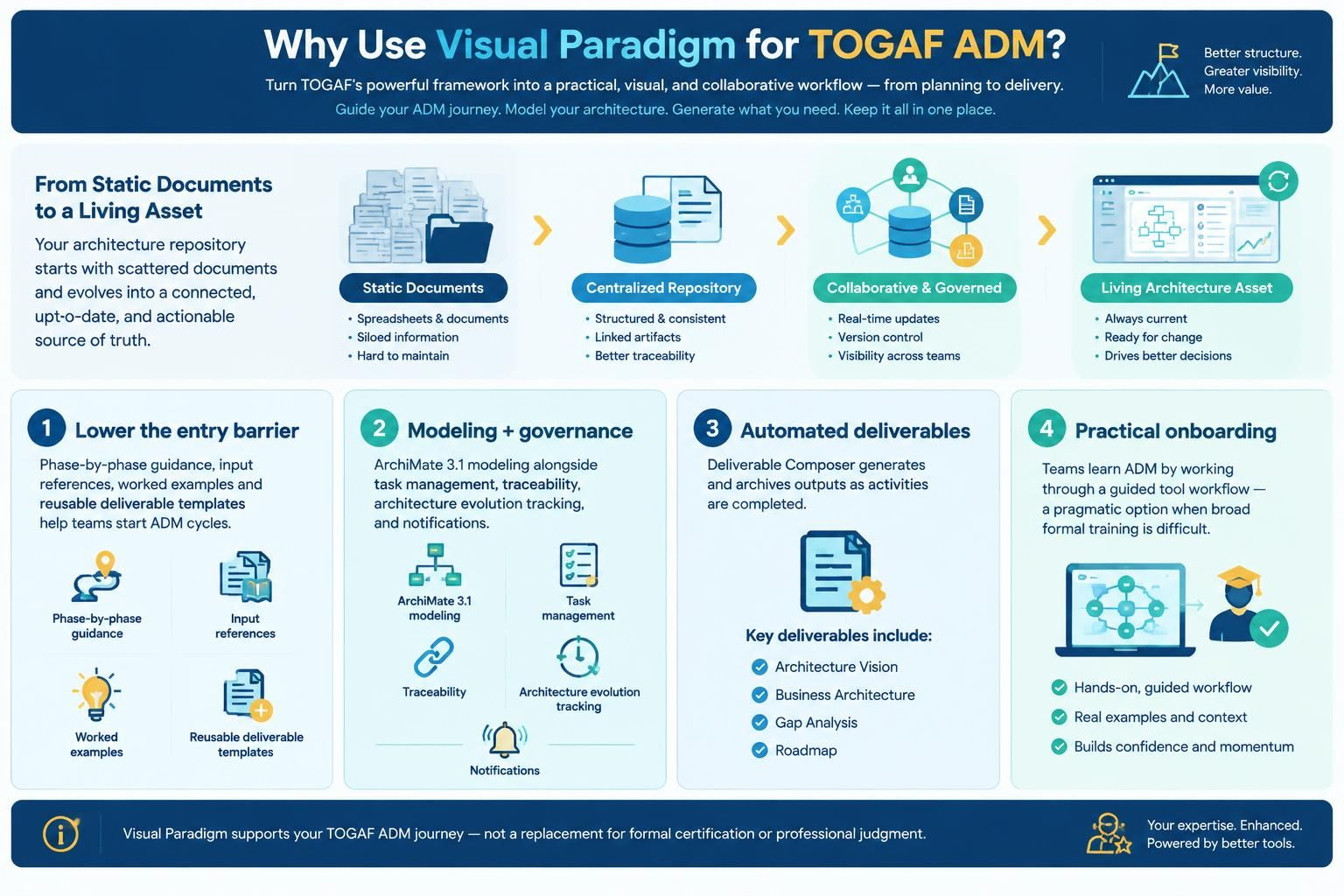
In the rapidly evolving landscape of Enterprise Architecture (EA), the gap between static documentation and dynamic business reality is often where value is lost. For decades, architects have relied on tools that treat architecture diagrams as mere pictures—beautiful but lifeless representations of the current state. However, the industry is shifting towards a “Model-Driven Architecture” approach, where the model itself becomes the source of truth.
Visual Paradigm (VP) introduces a paradigm-shifting capability through VPasCode (Visual Paradigm as Code). This tool allows architects to define their ArchiMate models using a text-based scripting language, bridging the gap between the rigor of code and the visual nature of architecture. By treating ArchiMate as code, teams can leverage version control, automate the generation of diagrams, and ensure strict adherence to The Open Group’s standards.
The Shift: From Drawing to Programming Architecture
Traditional modeling involves dragging and dropping shapes onto a canvas. While intuitive, this method often leads to “diagram fatigue,” where the effort required to maintain visual alignment distracts from the actual architectural logic. VPasCode changes this by allowing you to define the architecture in a plain text file (typically using Markdown or a specific VPasCode syntax) which is then compiled into a high-fidelity ArchiMate model.
This approach offers several transformative benefits:
- Version Control Friendly: Unlike binary diagram files (.vpd), text files can be diffed, merged, and tracked like any source code using Git.
- Reusability: You can create libraries of standard components (e.g., “Standard Cloud Infrastructure”) and include them in multiple projects.
- Automation: You can generate complex diagrams programmatically, saving hours of manual drawing.
- Rigor: The compiler checks for syntax errors and ArchiMate compliance before the diagram is even rendered.
Understanding the VPasCode Syntax
VPasCode is built on a Markdown-like syntax that is intuitive for developers and technical writers. It separates the logical definition of an element from its visual presentation. The basic building blocks are Nodes (Elements) and Edges (Relationships).
Defining the Business Layer
Let’s start by defining a simple Business Architecture. We will create a Business Actor, a Business Role, and a Business Process, linking them together to show how a role executes a process.
// Business Layer Definitions

// Define a Business Actor
@business-actor: "Customer Service Dept" {
    id: "CA001"
    desc: "Department responsible for handling customer inquiries."
}

// Define a Business Role
@business-role: "Service Agent" {
    id: "BR001"
    desc: "The role responsible for executing service delivery."
}

// Define a Business Process
@business-process: "Handle Customer Inquiry" {
    id: "BP001"
    desc: "The workflow for processing incoming customer requests."
}

// Define Relationships
// A Business Actor uses a Business Role
@relation: "CA001" -- "BR001" {
    type: "usage"
}

// A Business Role participates in a Business Process
@relation: "BR001" -- "BP001" {
    type: "access"
}
In this snippet, we define the identity of our elements using IDs (e.g., CA001). This is crucial for traceability. The @relation block defines how these elements interact. Notice the use of usage and access, which are specific semantic relationships defined in the ArchiMate specification.
Integrating the Application and Technology Layers
The true power of ArchiMate lies in its ability to map Business capabilities to Application services and finally to Technology infrastructure. VPasCode allows you to maintain this multi-layered view seamlessly.
// Application Layer
@application-component: "CRM System" {
    id: "AP001"
    desc: "The central customer relationship management platform."
}

// Technology Layer
@technology-node: "Cloud Server" {
    id: "TE001"
    desc: "The physical or virtual server hosting the application."
}

// Cross-Layer Relationships
// The Business Process is realized by the Application Component
@relation: "BP001" -- "AP001" {
    type: "realization"
}

// The Application Component is deployed on the Technology Node
@relation: "AP001" -- "TE001" {
    type: "deployment"
}
This snippet demonstrates the Realization relationship between the Business Process and the Application Component. In VPasCode, this relationship is semantic. When the tool renders this, it doesn’t just draw a line; it understands that the Application Component fulfills the requirement of the Business Process. This allows for impact analysis—if the CRM System is decommissioned, you can instantly see which Business Processes are affected.
Grouping and View Management
One of the challenges in EA is managing complexity. You rarely want to see the entire enterprise architecture on one screen. VPasCode allows you to define “Views” or “Views Groups” directly in the code, effectively creating a navigation structure for your architecture.
// View Group: Business View
@view-group: "Business Architecture" {
    include: "CA001"
    include: "BR001"
    include: "BP001"
    layout: "horizontal" // Defines the visual arrangement
}

// View Group: Technology View
@view-group: "Technology Architecture" {
    include: "AP001"
    include: "TE001"
    layout: "vertical"
}
By using include, you can selectively show elements relevant to a specific stakeholder. For example, a CIO might only care about the Technology View, while a Business Analyst focuses on the Business View.
Advanced Features: Constraints and Logic
VPasCode also supports basic logic and constraints. You can define conditions that must be met for a model to be valid. For instance, you might require that every Business Process must have a corresponding Application Component.
// Constraint Definition
@constraint: "ProcessHasApp" {
    rule: "Every Business Process must have a realization relationship to an Application Component"
    check: "if (process.id) { find_app_for(process) }"
}
While the exact implementation of complex constraints may vary based on the specific VPasCode version, the intent is to enforce architectural governance at the code level. This ensures that your architecture remains consistent with organizational standards.
Best Practices for VPasCode Implementation
- Modularize Your Code: Just like software development, split your architecture into modules. Create separate files for Business, Application, and Technology layers, and import them as needed.
- Use Semantic IDs: Always use descriptive IDs (e.g.,
BPSalesOrderinstead ofBP_01). This makes debugging and referencing much easier. - Leverage Comments: Use comments (
//) extensively. Since the code is the source of truth, documentation within the code is vital for future maintainers. - Iterate and Test: Run the compilation frequently. VPasCode will highlight syntax errors immediately, allowing you to fix issues before they become structural problems.
Conclusion
By adopting VPasCode, Enterprise Architecture teams can move beyond static diagramming into a realm of executable, maintainable, and auditable architecture. It transforms the EA process from a documentation exercise into a disciplined engineering practice. As organizations demand greater agility and traceability, the ability to “code” your architecture will become a fundamental skill for the modern Enterprise Architect.
Whether you are defining a simple business process or mapping a complex cloud migration strategy, VPasCode provides the structure, rigor, and automation needed to turn your architectural vision into a living, breathing asset.