

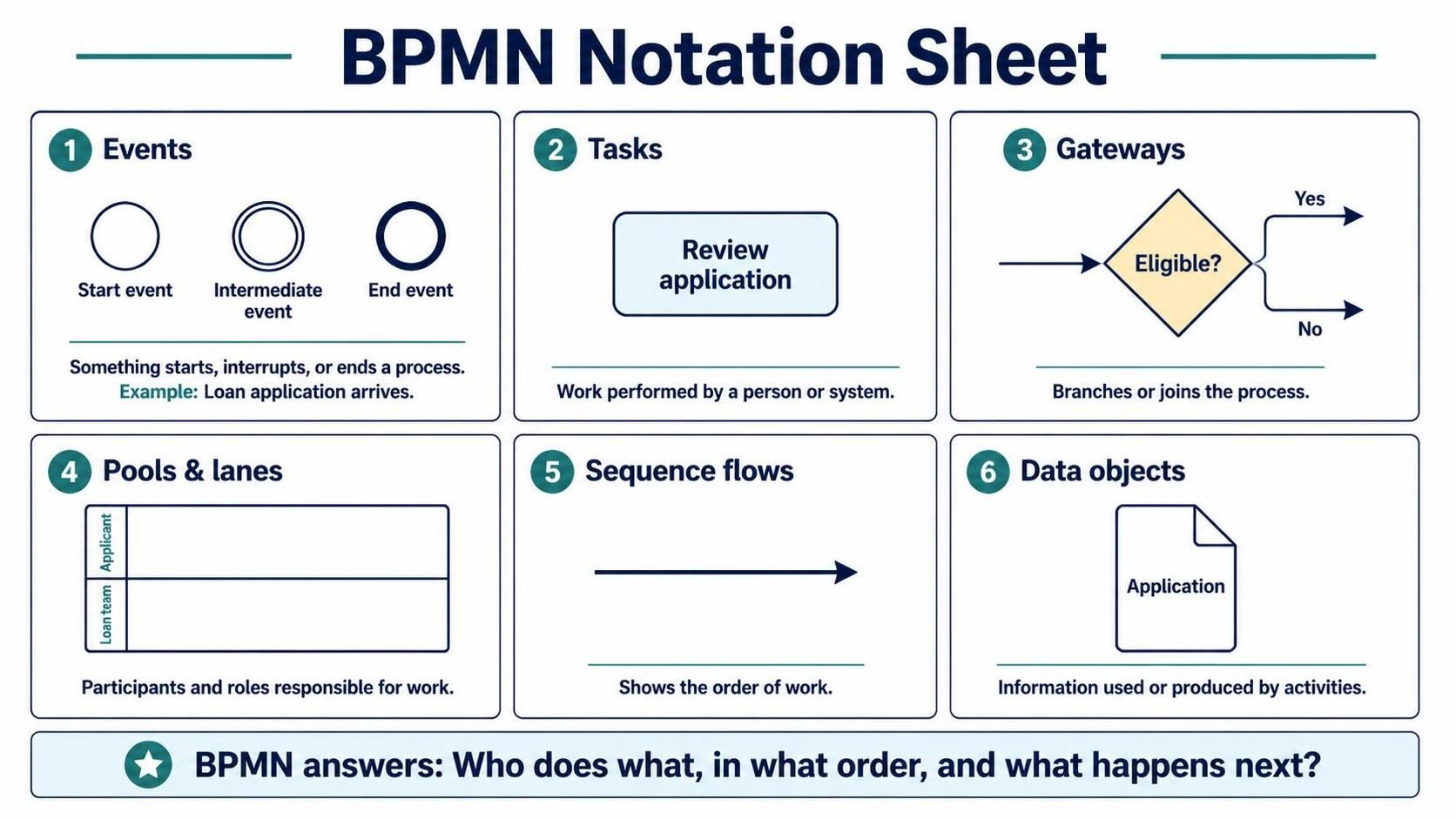
Welcome to this comprehensive tutorial on Business Process Model and Notation (BPMN). Whether you are using Visual Paradigm, drawing on a whiteboard, or designing a workflow for a No-Code platform, understanding the standard symbols is the prerequisite for successful process modeling. BPMN is more than just drawing shapes; it is the universal language that answers three critical questions: Who does what, in what order, and what happens next?
1. The Lifecycle of a Process: Events
Every process is defined by its boundaries. In BPMN, we use Events to mark the start, the middle, and the end of a workflow. Think of events as the triggers and the results.
- Start Event: Represented by a single thin circle, this is the trigger. For example, a “Loan Application Arriving” or a “Customer Order Received.”
- Intermediate Event: Represented by a circle with a double line. These occur during the process and can represent waiting for a timer, a message, or an error.
- End Event: Represented by a thick circle. This signifies the successful completion or termination of the process, such as “Loan Approved” or “Order Shipped.”
2. The Work Itself: Tasks and Data
Once a process starts, work must be performed. Tasks are the fundamental units of work performed by a participant (a person or a system).
Visually, a task is a rectangle with rounded corners. In the context of our example, the task might be “Review Application.” Tasks do not have a specific internal logic visible at this level—they are simply “black boxes” of work. However, tasks often interact with Data Objects.
A Data Object (like the Application form) represents the information consumed or produced. You will often see a task “collaborating” with a data object, meaning the worker reads the data to complete the task.
3. The Decision Logic: Gateways
Real-world processes are rarely linear. They involve decisions. Gateways are the control points where the process branches or joins.
The most common gateway is the Inclusive Gateway (often shown as a diamond). It answers a question, such as “Is the applicant eligible?”
- If Yes, the process follows the “Yes” path (perhaps to “Issue Loan”).
- If No, the process follows the “No” path (perhaps to “Notify Applicant”).
4. The Actors: Pools and Lanes
One of the most powerful features of BPMN is the ability to show Who is doing What. This is achieved through Pools and Lanes.
- Pools: Represent a major participant, such as a specific company or organization.
- Lanes: Sub-divisions within a pool that represent specific roles, departments, or systems. For example, a “Loan Team” lane might contain the “Review” task, while an “Applicant” lane contains the “Submit Application” task.
5. The Flow: Sequence and Message Flows
Finally, we connect everything. Sequence Flows (solid arrows) dictate the order of activities within a single pool or lane. They ensure that the “Review” task only happens after the “Application” arrives. If you are crossing from one pool to another (e.g., from the Applicant to the Bank), you use a Message Flow (dashed arrow).