

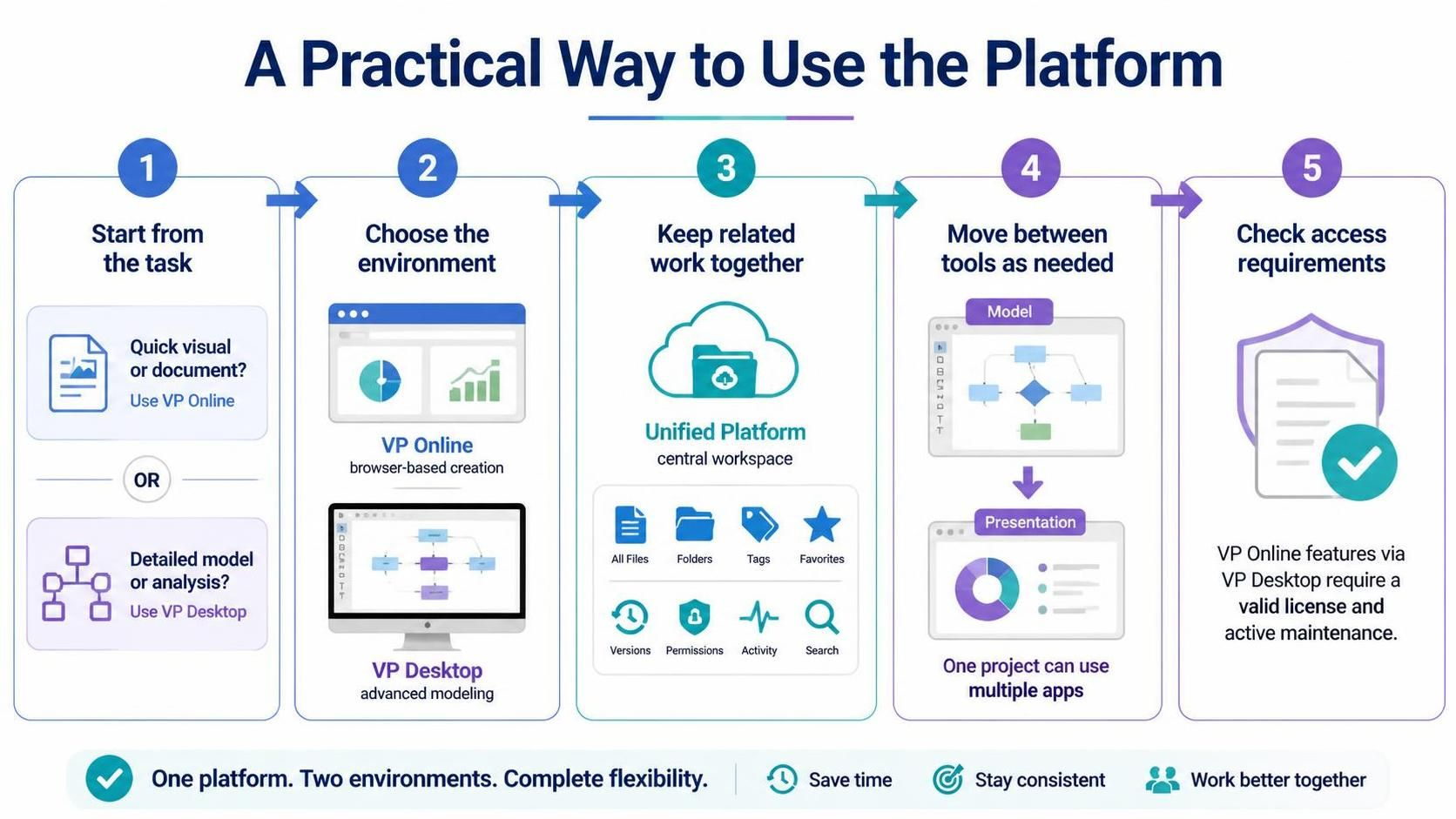
In the modern landscape of enterprise architecture and systems engineering, the rigidity of single-environment tools is becoming obsolete. Visual Paradigm has evolved to address this by introducing a Unified Platform that seamlessly integrates VP Online and VP Desktop. This architectural approach allows organizations to maintain a “single source of truth” while offering the flexibility to utilize the most appropriate tool for specific tasks.
This tutorial breaks down the five-step strategic framework for utilizing this platform effectively, ensuring you maximize productivity and data integrity across your modeling projects.
1. The Foundation: Start from the Task
The first step in leveraging the Unified Platform is not choosing the software, but analyzing the task. The platform is designed to be context-aware. Before opening any application, you must determine the complexity and format required for the output.
- Quick Visuals & Documents: If your goal is to rapidly create a simple diagram, a quick visual representation, or a standard document, the cloud-based environment is optimal. It requires no installation and offers immediate access.
- Detailed Models & Analysis: If the task involves complex logic, deep analysis, or a detailed model with intricate relationships, the desktop environment is the necessary choice. It provides the heavy-lifting power required for enterprise-grade engineering.
2. Environment Selection: VP Online vs. VP Desktop
Once the task is defined, you select the environment. The Unified Platform supports a hybrid workflow where both environments coexist.
VP Online: Browser-Based Creation
VP Online is the gateway for agile, browser-based creation. It is ideal for scenarios requiring rapid prototyping or collaborative input without the overhead of local installation. It is perfect for:
- Quick diagrams for presentations.
- Lightweight documentation.
- Immediate sharing via web links.
VP Desktop: Advanced Modeling Capabilities
VP Desktop serves as the powerhouse for the platform. When the work calls for advanced modeling capabilities—such as generating complex code, performing extensive validation, or managing large-scale data structures—VP Desktop is the required tool. It handles the computational load that a browser cannot.
3. The Central Workspace: Unified Platform
The core value of this architecture lies in the Unified Platform itself. This acts as the central hub where all related work is kept together. Instead of siloing files in different local folders or disparate web accounts, the platform provides a unified interface to access work created across both tools.
Key Features of the Central Workspace include:
- All Files & Folders: A unified directory structure.
- Metadata Management: Use Tags and Favorites to organize content.
- Version Control: Track changes and history seamlessly.
- Security: Manage Permissions for team members.
- Activity Tracking: Monitor who is doing what.
- Search: Global search capabilities across the entire platform.
4. Cross-Tool Flexibility: Moving Between Applications
Real-world projects rarely fit into a single mold. A single project might involve modeling a system architecture and then creating a presentation to explain it to stakeholders. The Unified Platform allows you to move between tools as needed.
You might start a complex model in VP Desktop to ensure data integrity. Once the model is stable, you can export or link it to a VP Online project to create a high-fidelity presentation or a web-based dashboard. The platform ensures that these artifacts remain connected, preventing data drift.
5. Compliance and Access Management
Finally, utilizing the full potential of the platform requires strict adherence to licensing and access requirements. The platform is designed to be secure and compliant.
Specifically, if you plan to use VP Online features (such as cloud collaboration) while operating via a VP Desktop license, you must confirm that your license and maintenance status meet the stated requirements. Access to cloud features is often tied to active maintenance contracts.
Conclusion
Visual Paradigm’s Unified Platform is not just a set of tools; it is a cohesive ecosystem. By starting with the task, choosing the right environment, keeping work in the central workspace, and moving between tools flexibly, individuals and teams can manage a varied workflow more coherently. This approach ensures you save time, stay consistent, and work better together.